Guide
Food batch traceability in ERPNext: from recipe to batch record
When a customer or auditor asks which batch a product came from and when it expires, the answer should be one click away. This walkthrough follows a vanilla ice cream from recipe to batch. The screens below come from a demo ERPNext site with sample data.
Updated October 2026
1. Make the product a batch item
On the finished item, turn on batch tracking, create batches automatically with a series, and set an expiry date with a shelf life. In the demo, the ice cream gets batch numbers like VIC-0001 and a shelf life of 180 days.
2. Write the recipe as a BOM
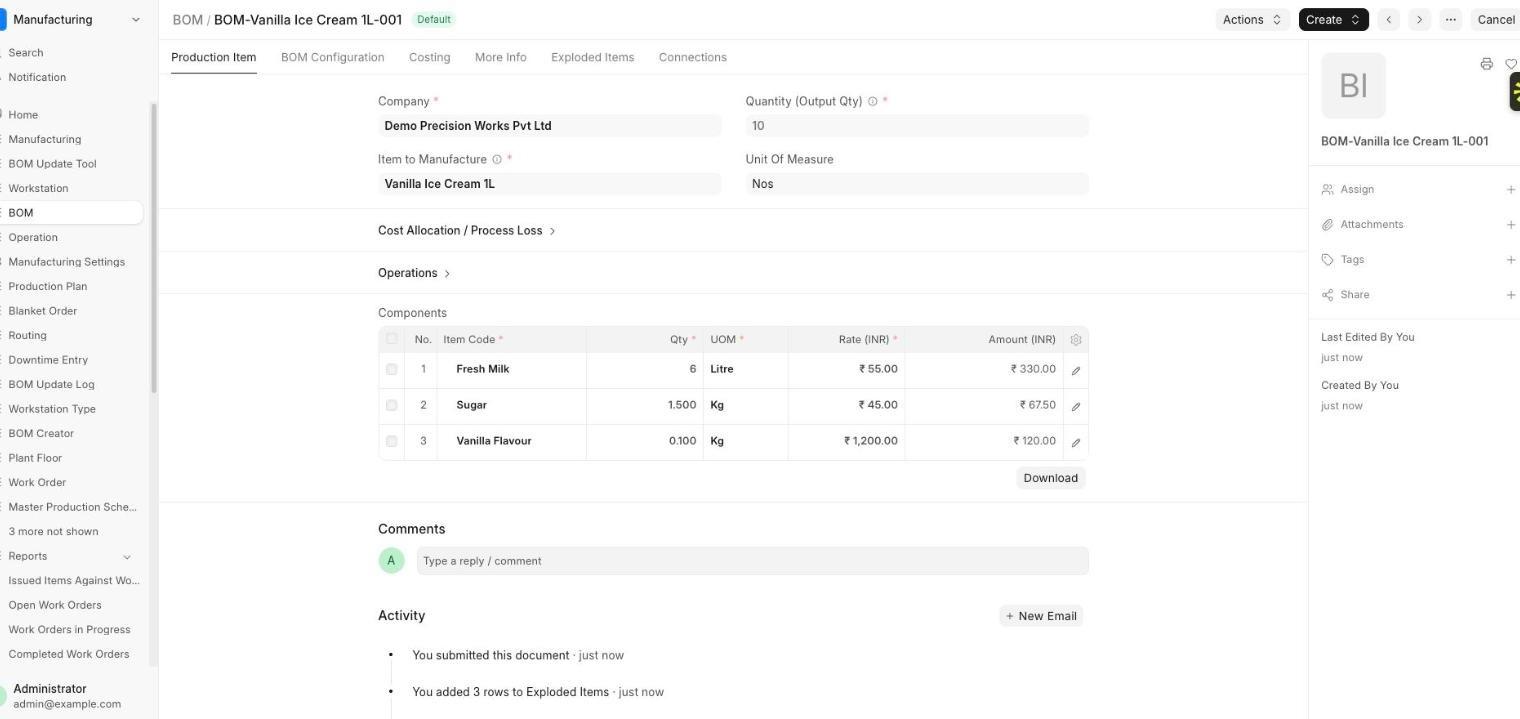
The recipe is a BOM: 6 litres of milk, 1.5 kg of sugar and 0.1 kg of vanilla flavour make 10 units. The BOM gives you the expected usage for every production run.
3. Run production
Create a work order for 100 units, transfer the materials, and record the manufacture. ERPNext creates the batch automatically, with the manufacturing date and an expiry date calculated from the shelf life.
4. Read the batch record
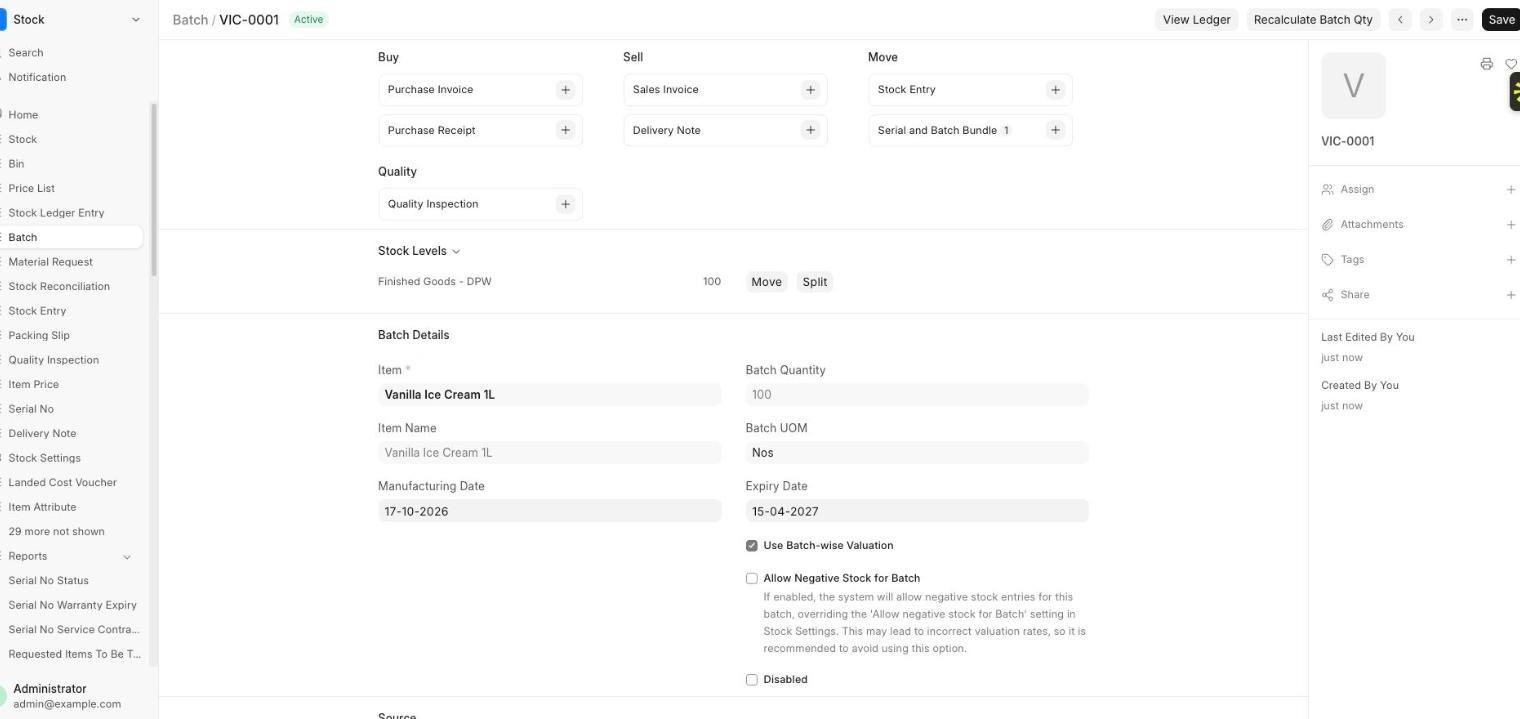
The batch shows the item, manufacturing date, expiry date, quantity and where the stock sits. For batch VIC-0001, 100 units were made on 17-10-2026 and expire on 15-04-2027, held in Finished Goods.
From the batch you can open the linked stock entries, deliveries and the ledger, which is what you need when asked where a batch went.
Tracing raw materials too
In this demo only the finished item is batched. To trace which milk lot went into which batch, turn on batches for the raw materials as well and consume them by batch.
What to set up first
- Item masters with batch and expiry settings.
- Recipes as BOMs, one default per product.
- Warehouses for stores, work in progress and finished goods.
- A rule for how batch numbers are named.
Frequently asked questions
Can ERPNext track expiry dates?
Yes. When an item has an expiry setting and a shelf life, batches get an expiry date automatically.
Does ERPNext create batch numbers automatically?
Yes. You can configure a batch number series so each production run creates the next batch.
Can I trace raw materials to a finished batch?
Yes, if the raw materials are batch items and are consumed by batch. Without that, you trace at the finished-batch level.
Not sure which fits your business?
We map how you work today before recommending anything.