Outgrowing Zoho? Your Business Deserves More Than A CRM With Add-Ons.
You started with Zoho CRM, then added Books, then Inventory, then Projects. Now you have 8 apps that barely talk to each other, and your team spends more time syncing data than doing actual work.


Loved by 17,000+ Indian SMEs






[01] hIGHLIGHTS
Engineered to fix your hardest operational problems.
We designed it for managing your business end to end that solves your companies hardest problem


One Database, Zero Silos
Sales, inventory, and finance share one source of truth
Zoho's CRM, Books, Inventory, and Projects each store data in their own silo. A sale logged in CRM won't update Books until someone runs a sync — and the sync usually breaks. Onebook is one database, one platform. Close a deal, the invoice is drafted. Ship the goods, the stock and the ledger update together. No 8-app daisy chain to maintain.
Flat Pricing, Unlimited Users
Add your whole team without watching the bill climb
Zoho charges per user, per app. Five people on Books and Inventory and CRM is fifteen seats — and the price doubles when you hire. Onebook charges one flat rate based on business size. Sales, warehouse, production, accounts: everyone gets a login. Growth doesn't come with a tax on headcount.


Unified Operations
Stop juggling Zoho CRM, Books, Inventory, and Projects as separate apps. Onebook gives your entire team one platform where sales, inventory, production, and finance share a single source of truth.
Flat Pricing, Unlimited Users
Zoho charges per user per app. Onebook charges one flat rate based on business size. Add your entire team — sales, warehouse, production, accounts — without watching the bill climb.
Native Manufacturing & Inventory
Unlike Zoho's bolt-on inventory and absent manufacturing module, Onebook handles multi-warehouse stock, serial/batch tracking, and multi-level BOM natively from day one.
“Our team went from dreading month-end to closing it
without confusion. That's how you know you picked the right tool”
Suraj
Managing Director
@AFA
[09] IMPLEMENTATION
MOST ERPS FAIL BEFORE THEY LAUNCH. WE FIXED THAT WITH ZERO FAILURES SINCE LAUNCH
Most Implementations Fail Because Of Scope Creep And Bad Data. We Use Process Mining To Catch Failures Before They Happen. All In 6-12 Weeks Not 6 Months

Week
1–2
Process mining reveals reality
We mine your current systems: Tally, spreadsheets, emails to see how work actually flows. You get data on where things break, where people create workarounds, and where time disappears.
Deliverable: Process map showing your actual workflows
Week
2–3
Lock the scope in writing
Week
4–8
Configure, test, and train in parallel
Week
9–12
Go Live with continuous monitoring
[04] Switch
Quit the wasting time And SWITCHING between multiple apps
Managing a business should not be difficult and loose the focus
Before
8+ separate apps that don't sync properly
Per-user pricing that balloons as you grow
Limited manufacturing & BOM support
Data trapped in disconnected modules
No real inventory-to-accounting flow
Approval workflows need third-party tools
Basic reporting across fragmented data
After
One unified platform for all operations
Flat pricing — unlimited users included
Native manufacturing with multi-level BOM
Single database, zero data silos
Inventory auto-posts to your ledger
Built-in multi-level approval workflows
Real-time dashboards across every module
“Our team went from dreading month-end to closing it
without confusion. That's how you know you picked the right tool”
Suraj
Managing Director
@AFA
[04] Industries
Built for your industry That your business runs in
Onebook comes pre-configured with the exact workflows your sector uses. Launch faster without building from scratch.
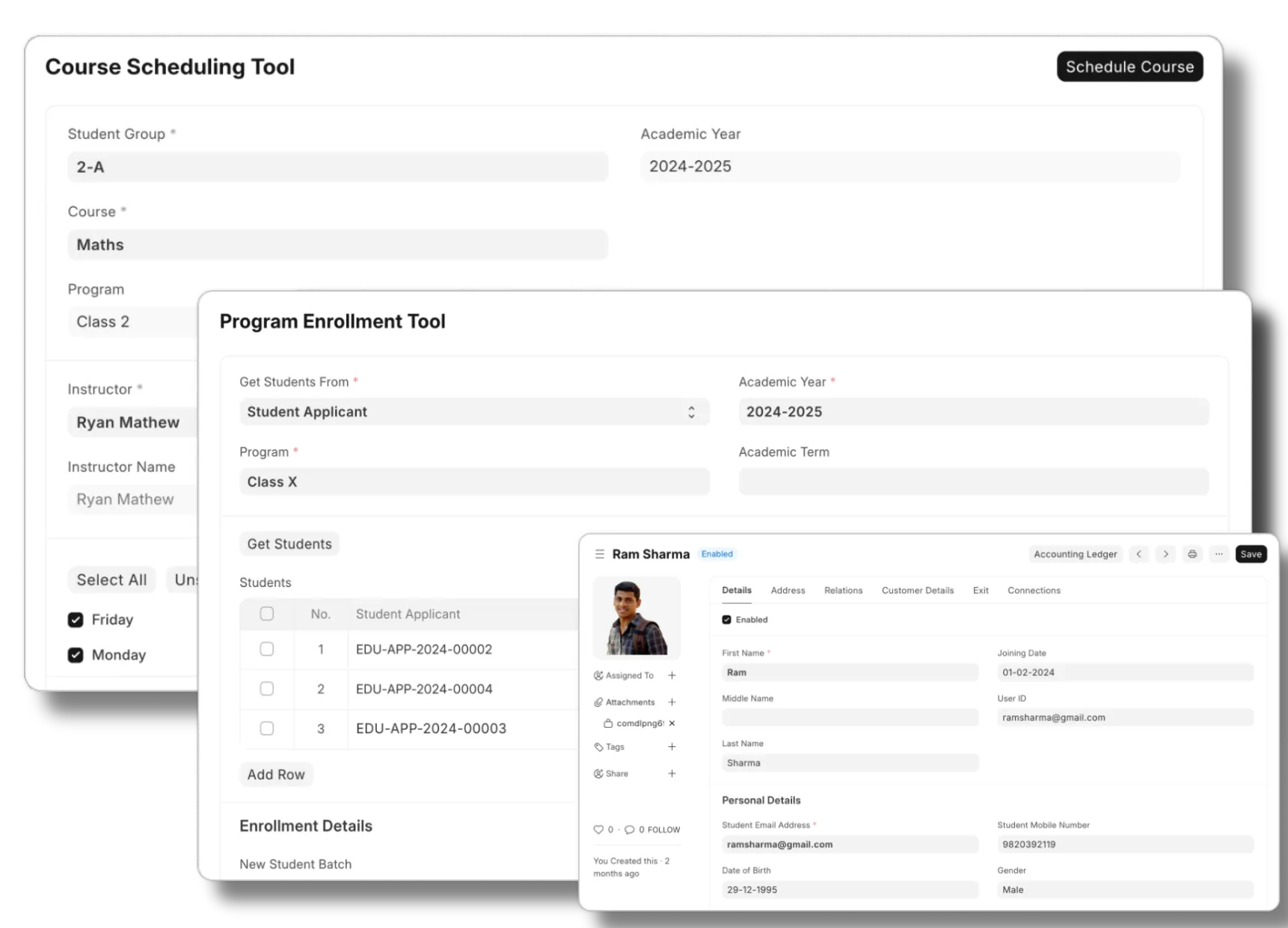
specialized Features
Comprehensive management for educational institutions, from K-12 to universities.
Student information management
Fee collection and tracking
Course & curriculum planning
Attendance and grading system
What people say
"We saved ₹8 Lakhs in licensing fees in year one"
Mariam
Delhi Public School (Founder)
[05] Pricing
Pay for what you use.
Not how many people use it.
Free Consultation
Lifetime Warranty (No 18-22% annual AMC)
Data Freedom
Unlimited seats, Full data ownership, AI automation with enterprise security at scale
at One flat rate based on your business size
Yearly (-15%)
Most Popular
Micro
Best for no customization
₹4,000/mo.
Everything you need to get started:
1 ERPNext Site
Daily Automated Backups
Uptime Support
Standard Modules (Buying, Selling, Stock, Accounting, HRMS, Manufacturing, Quality)
Custom Development
*4 compute hours/day, 2GB Database, 50GB Disk Storage
No credit card required
Growth
For scaling teams up to ₹25 Cr
₹12,000/mo.
Everything in Micro, plus ↓
AI Document Automation
Custom Apps & Marketplace Access
Customer & Vendor Portals
Optional staging site
*12 Compute hours/day, 6 GB Database, 150 GB Disk Storage
"We saved ₹8 Lakhs in licensing fees in year one" - Mariam (Founder)
No credit card required
Enterprise
For multi-entity & global ops
Custom
Everything in Growth, plus ↓
Unlimited sites, apps, and scaling
Isolated Infrastructure (Dedicated VPC)
Custom Integration for enterprise
Advanced Access Control (RBAC, audit logs, SLA dashboards)
Dedicated Success Engineer
On-premise or hybrid option
24/7 premium support
* When your usage approaches the limits, you'll be notified and can purchase affordable add-ons to keep your operations running smoothly.
Get it done for you
Our Technical Partners handle data migration, workflow mapping,
and team training ensure a zero-failure launch
start from ₹2,00,000.
Legacy Data Migration
Expert Consultants
Process Mapping
User Role Configuration
Team Training
Go-Live Support
Flexible Options
Within 4 - 12weeks
Custom workflow development
Advanced integration
Enterprise-Grade Security
Go Live in < 45 Days
No Vendor Lock-in
[10] FAQ
QUESTIONS?
WE'VE GOT ANSWERS.
Everything You Need To Know About Onebook As A Business
For Partners
01.
I'm currently on Tally/Zoho. Will switching disrupt my finance team?
Not if it's planned well. We run a parallel period — typically 4–8 weeks — where both systems are live so your team can validate figures before you cut over. Your existing vouchers, ledgers, and opening balances are migrated by our implementation team, not handed off to you as a spreadsheet exercise.
02.
Is my data secure on an Open Source platform?
Yes. Open source refers to the codebase being auditable, not publicly accessible. Your instance runs on a private Azure server in the India region, with encrypted backups, role-based access controls, and SOC 2-aligned infrastructure. You own your data and can export it at any time.
03.
How long does implementation take?
Most SMBs are live within 6–10 weeks. The timeline depends on the number of modules, how clean your existing data is, and how quickly your team can complete configuration sign-offs. We assign a dedicated implementation manager so you're not blocked waiting on support tickets.
04.
Why don't you charge per user like Zoho or SAP?
Per-user pricing creates a perverse incentive — companies limit access to avoid costs, which means key people work off spreadsheets instead of the ERP. We charge a flat subscription so you can give every employee, warehouse staff member, and accountant a login without worrying about the bill doubling.
05.
Can my accountant still use Tally after we switch?
Yes. We support a Tally-format data export so your accountant or CA can continue filing and reconciling in the tool they know. Your operations team gets the full ERP; your accountant keeps their workflow. You don't have to force a tool change on everyone on day one.
06.
What happens to my existing data when I migrate?
We import your master data — customers, suppliers, items, and opening balances — directly from your existing system. Historical transactions are archived and accessible for reference. Nothing is deleted from your old system during migration; you keep a read-only copy until you're fully confident in the new setup.
60-second test
Is onebook Right for your Business?
Take the 60-second test. Tick the statements that are true for you and find whether we are right fit for your business